Cloud Configuration
The Cloud Configuration page allows you to manage configuration files, add or view imported packages, and display logs with real-time updates on import status for better tracking and control of your systems.
Notes:
- This feature is under development and will be enhanced in future release cycles.
- The features are part of MDE version 1.5.0 and above. Ensure that your deployment is up to date so you can access them.
Access the Cloud Configuration Web UI
To access the Cloud Configuration's web UI:
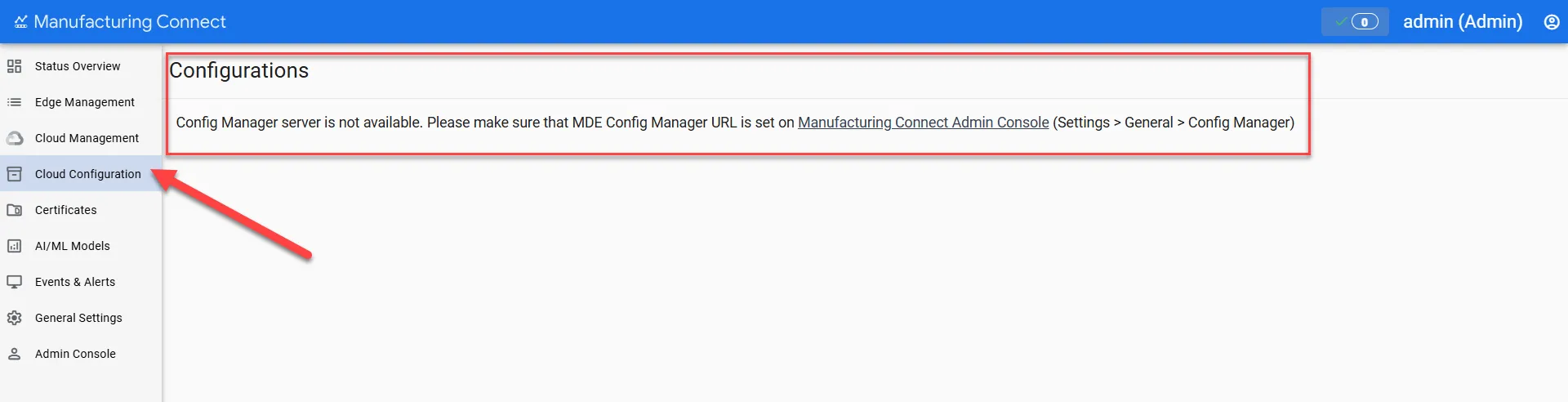
- Navigate to Cloud Configuration from the left-side navigation menu.
- If you see the message "Config Manager server is not available," ensure that you set up the MDE Config Manager URL on the Admin Console (Settings > General > Config Manager).
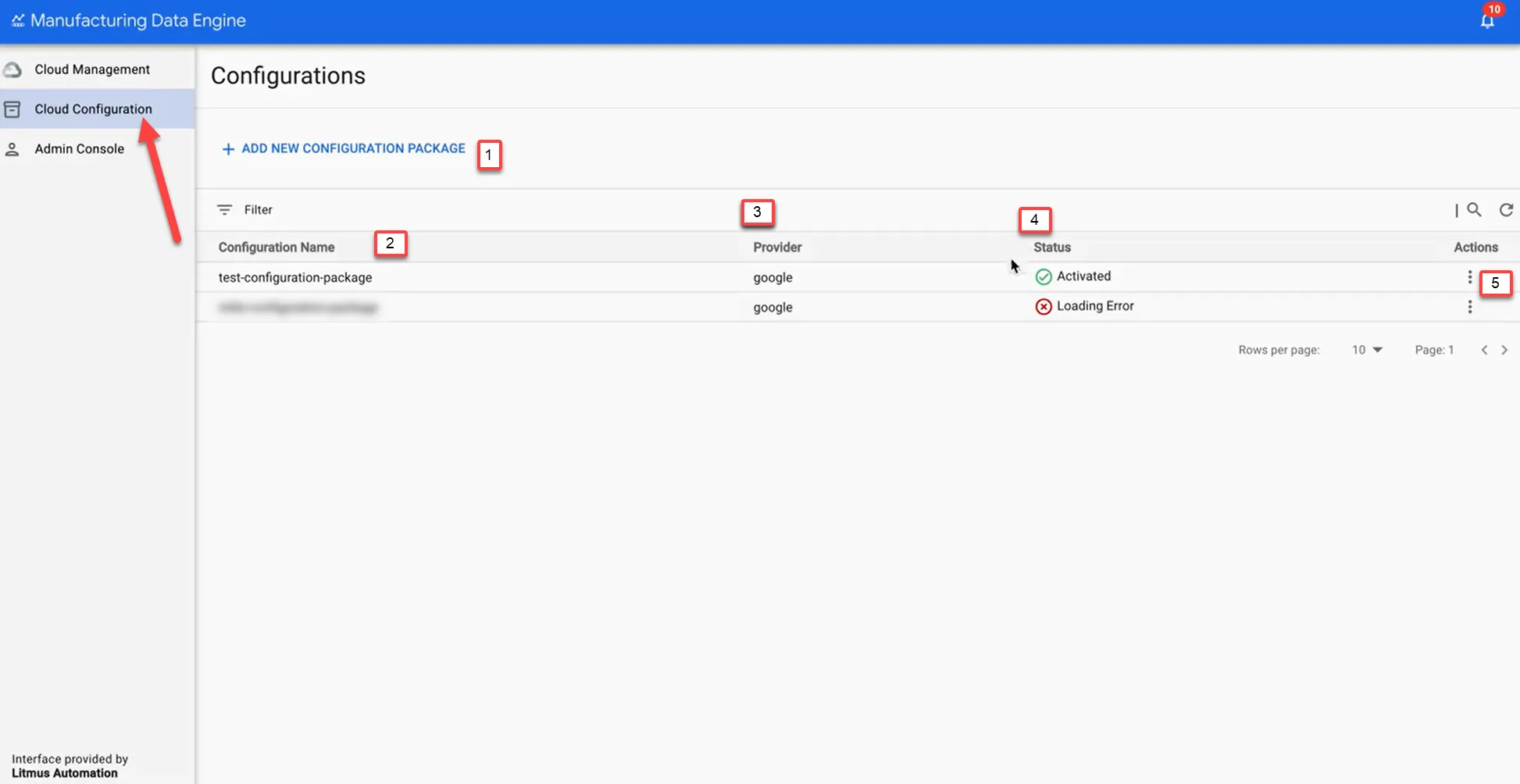
The UI is divided into the following sections:
Action | Details |
|---|---|
[1] Add New Configuration Package | Initiate the creation of a new configuration package for efficient management. |
[2] Configuration Name | Display a unique identifier for the configuration package to distinguish it. |
[3] Provider | Display the source or supplier responsible for the configuration package. |
[4] Status | Display the current state of the configuration package (e.g., active, inactive). |
[5] Actions | Perform operations on the configuration package (e.g., show logs, delete). |
Actions
You can perform various operations on the configuration package, such as displaying logs and deleting items.
Click Actions (three dots) and select the following options:
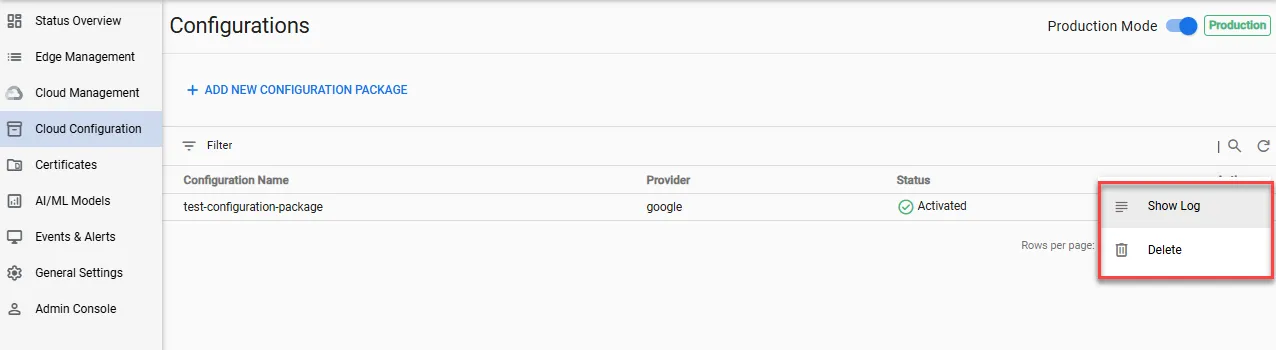
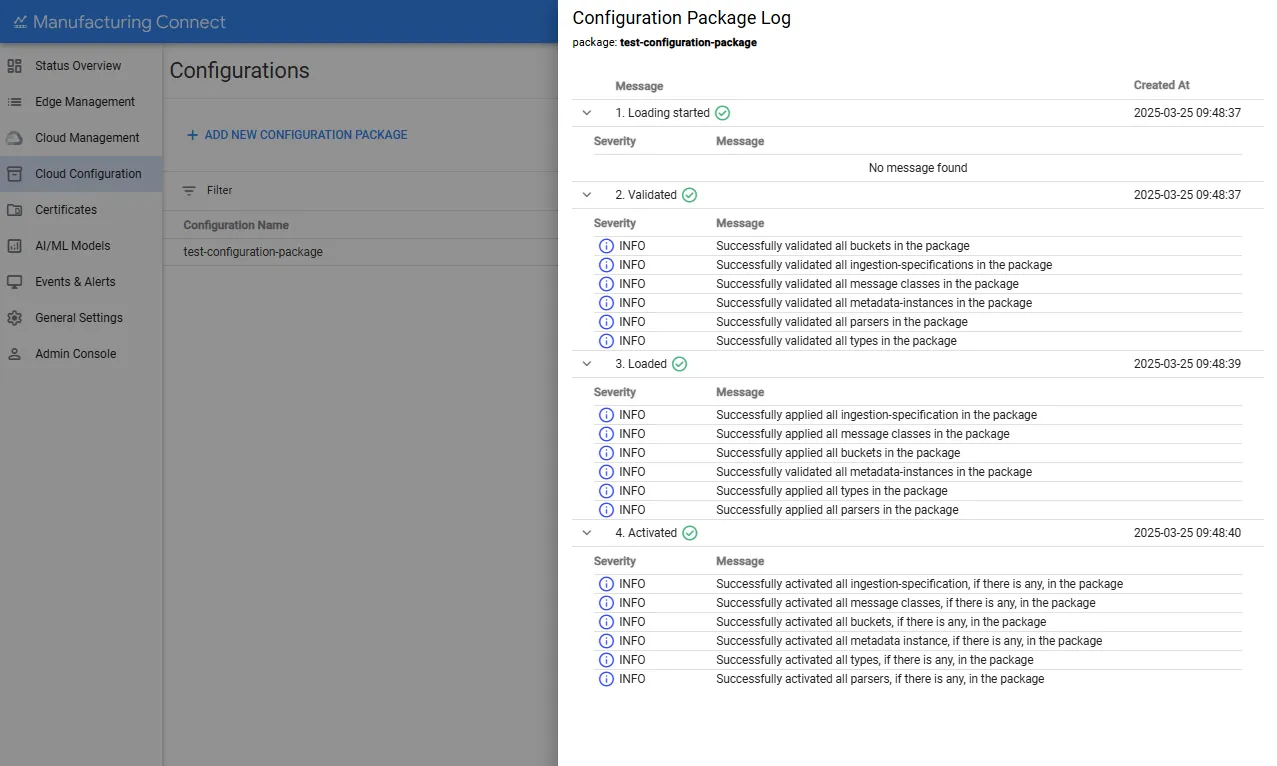
1. Show Log
This section provides a comprehensive overview of when loading began, and when it was validated, completed, and activated.
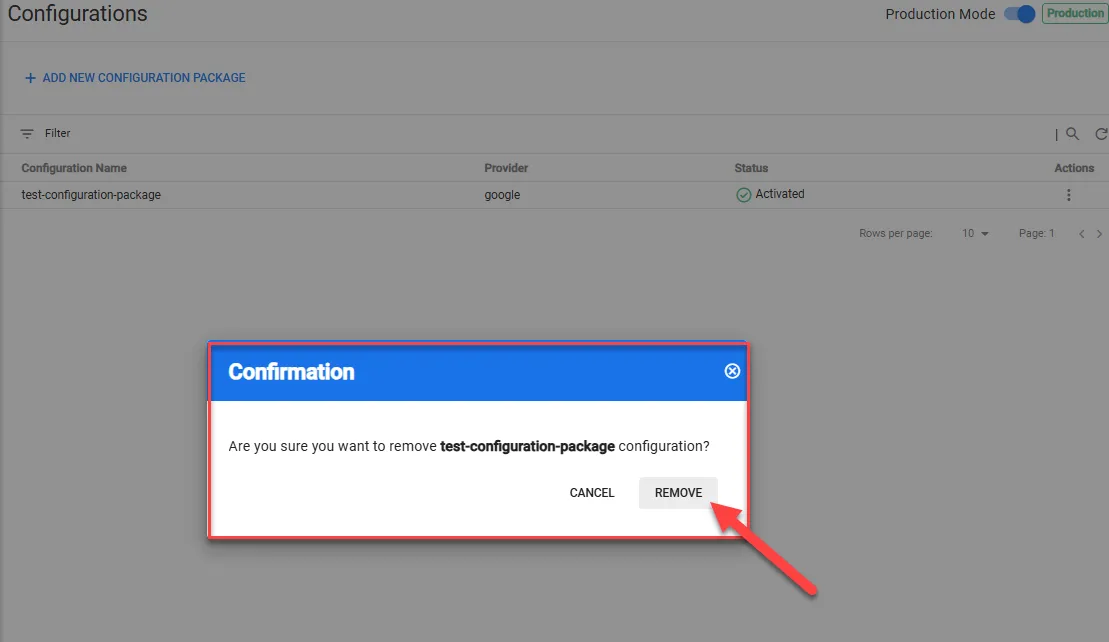
2. Delete
This section provides you with an option to permanently remove the configuration package from your edge device.
Click Remove to delete the configuration.