Search for Pre-defined Device Tags
1 min
Some DeviceHub devices give you the option of searching, selecting, and downloading pre-defined device tags.
Devices that support searching for device tags display a tag icon in the bottom-right corner of the device card.
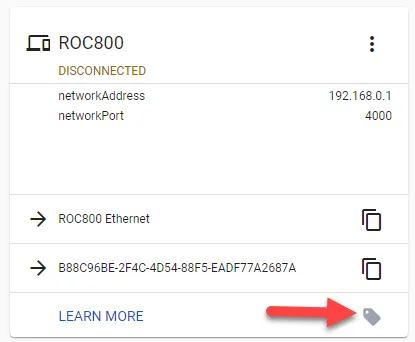
Browse tag option shown for a device
There are two ways to search for pre-defined device tags:
- Use Browse Tags to view all available tags for a device. You can then search, select, and download tags applicable for your DeviceHub device.
- Use Server Search to search for device tags. You will need to know the name of the tags you want to search for and add to your DeviceHub device.