Add an OIDC Provider
1 min
Manufacturing Connect acts as an OIDC client that connects to a configured OIDC provider. Litmus Edge supporting both static and dynamic client registration.
Note: When you configure your OIDC provider, set the scope to include openid, email, and profile which are required by Manufacturing Connect.
To add a new OIDC Provider:
- Click Add Provider at the top right to configure a new provider.
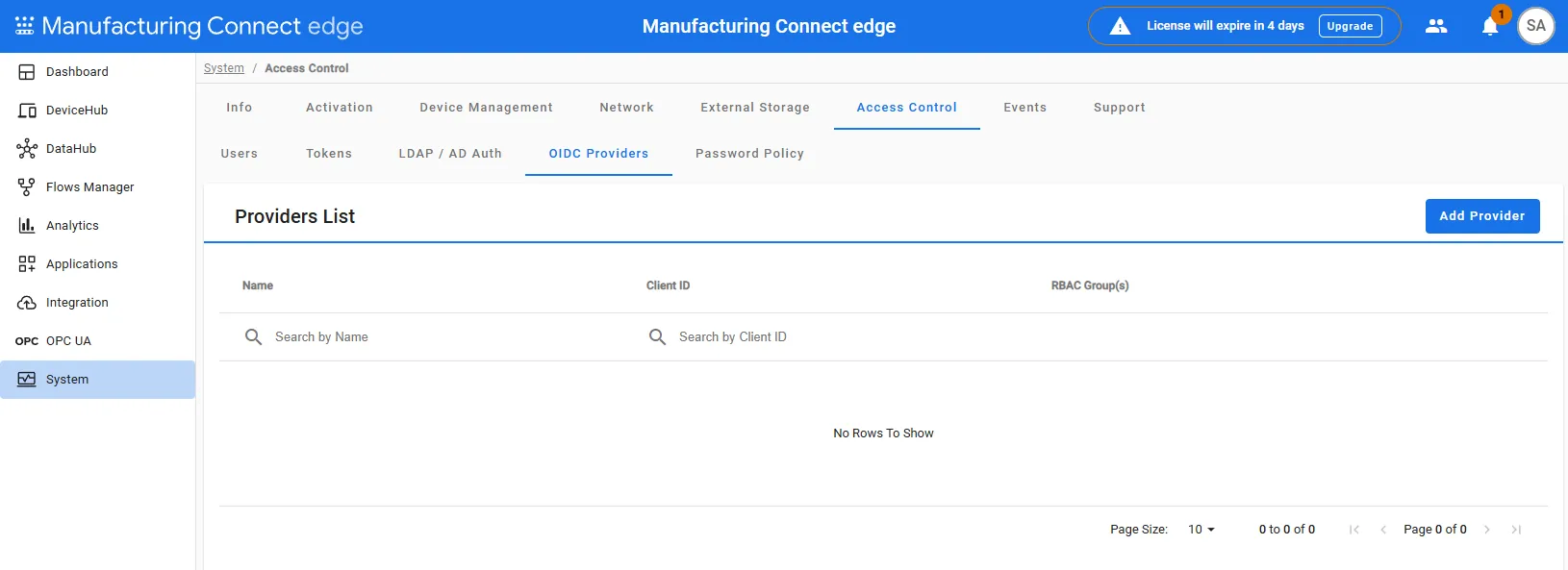
- In the Add OpenID Connect Provider pane, configure the following fields:
- Provider Name: Enter a name to identify this provider.
- Client Name: (Optional) Specify a client name if required by the provider.
- Well-Known Endpoint: Provide the URL where the OIDC provider's metadata can be retrieved (e.g., https://<provider>/.well-known/openid-configuration).
- Add Groups: Select user groups (Administrator & Viewers) that will have access via this provider.
- Redirect URI: Prepopulated with the callback URL required for authentication. Ensure that the URL matches the provider’s settings.
- Use Dynamic Client Registration: Enable this if the provider supports automatic registration of client credentials.
- Client ID: Enter the client ID obtained from the OIDC provider.
- Client Secret: Enter the secret key associated with the client ID.
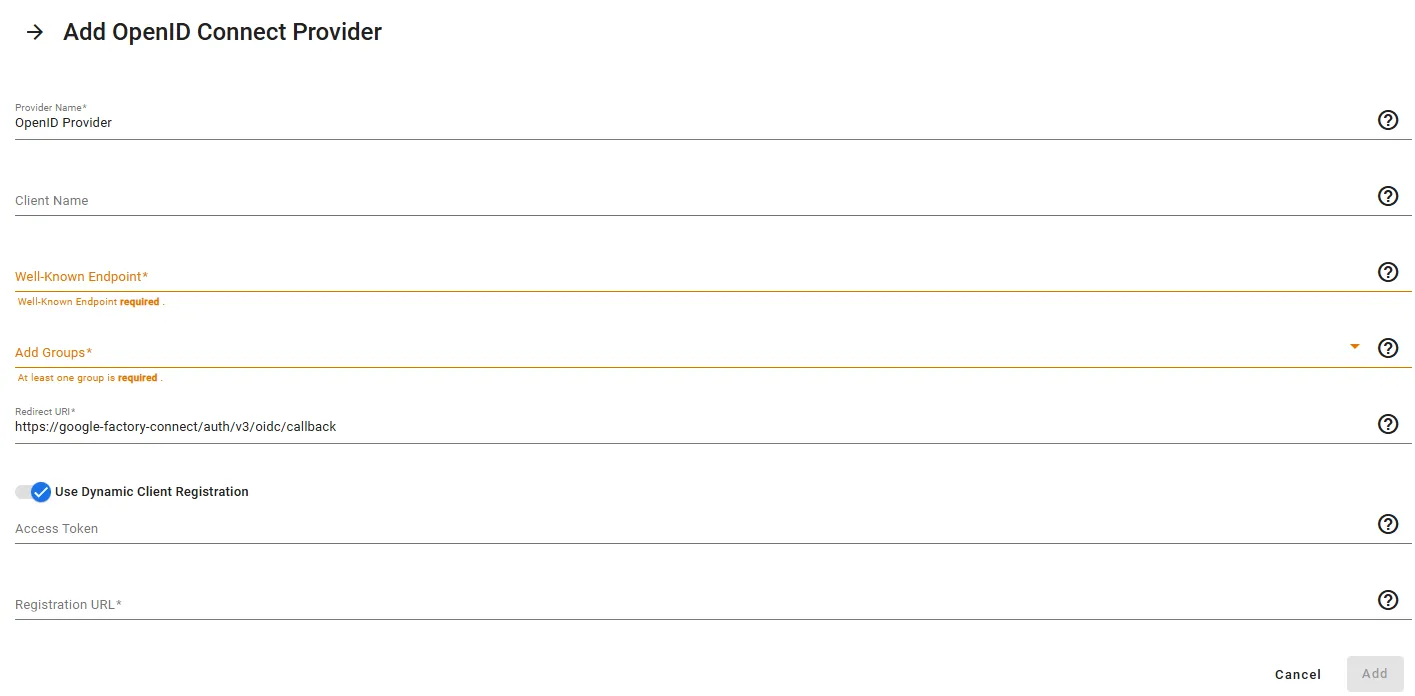
- Click Add to save the configuration.