Configure an HTTPs Proxy
1 min
You can enable and configure an HTTPs proxy for the Device Management, Authentication, and Licensing components.
Consider setting up an HTTPs proxy when you need to activate or setup authentication for a Manufacturing Connect device without internet access.
Setup an HTTPs Proxy
Add an HTTP/HTTPs Proxy using the following syntax:
http://proxy-name.com:port
- where proxy-name.com is the name of the additional Manufacturing Connect instance and port is the port number on which the proxy is listening.
To setup an HTTPs proxy:
- Navigate to System > Network and select the Proxy tab.
- In Proxy Configuration, select a component, for example Device Management, and provide a proxy URL and port.
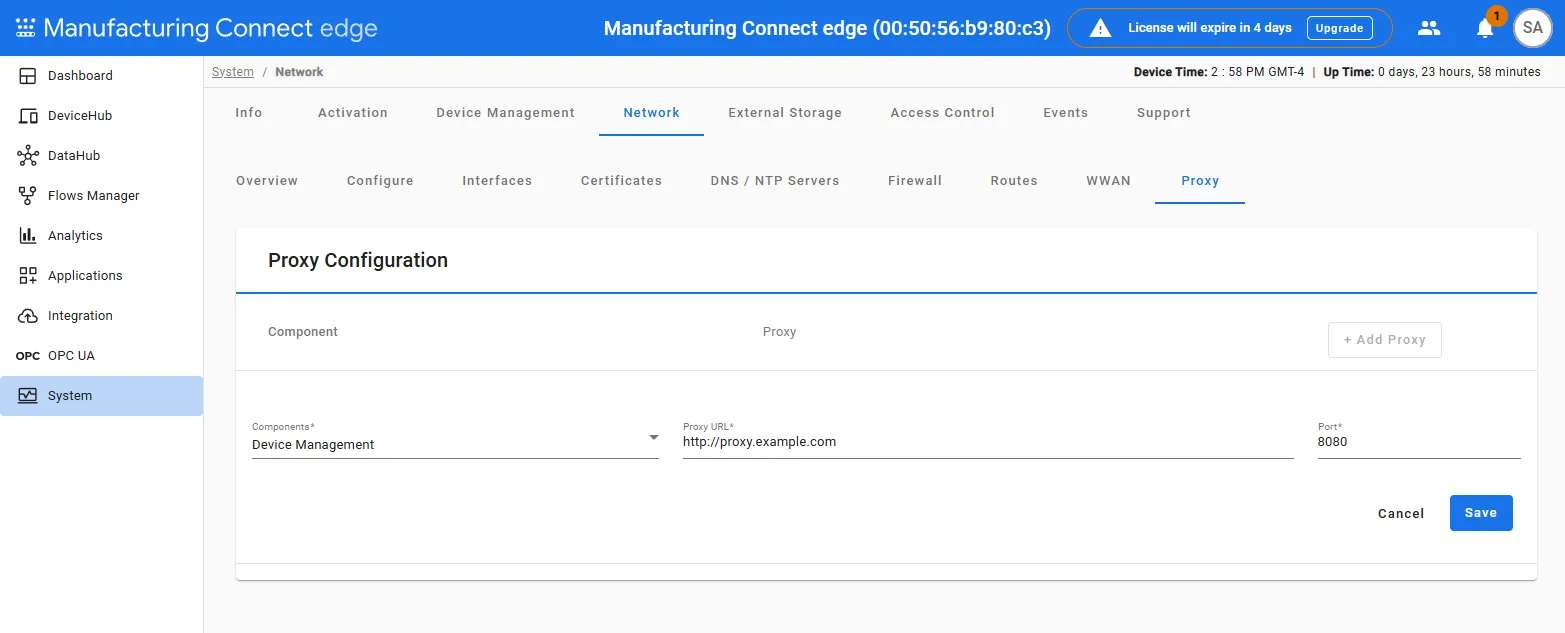
- Click Save.