Users
1 min
The Users module allows you to manage the users for Manufacturing Connect.
You can add a new user in Users section. Users added in the Users section in the Users module are permitted to access and manage Manufacturing Connect.
Access Users UI
To access the users UI:
- Log in to Manufacturing Connect. From the Navigation panel, select Admin Console. The Dashboard pane by default appears.
- From the Navigation panel, select Users. The User Management pane appears.
Refer to the following actions you can take on the Users Management pane.
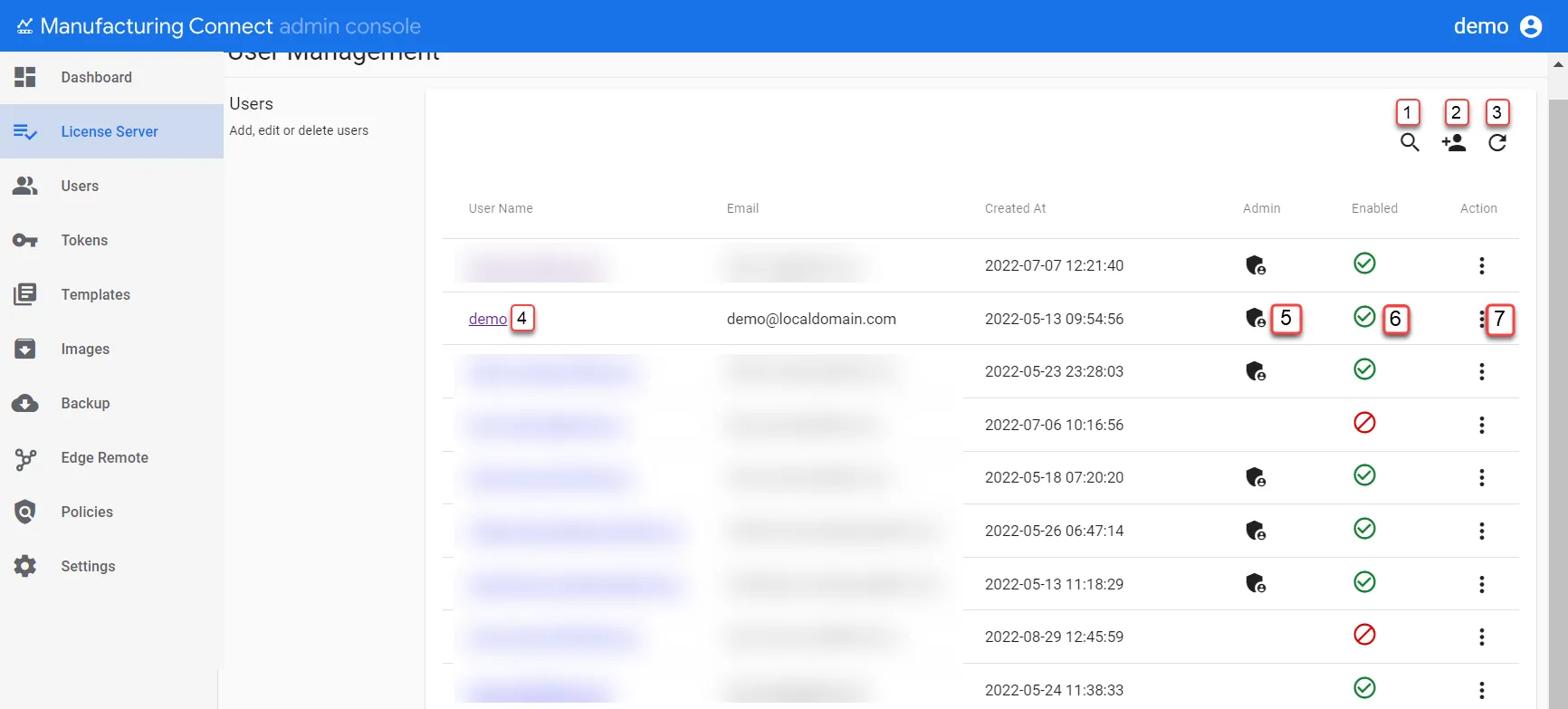
The Users UI
Action | Details |
|---|---|
[1] Show filter / Hide filter | Search by User Name, and Email |
[2] Create new user | Create a new user |
[3] Refresh | Update the list. |
[4] View User Name | |
[5] View Admin Status | Display admin status |
[6] View Enabled/Disabled Status | Display enabled or disabled status |
[7] Action menu |
|